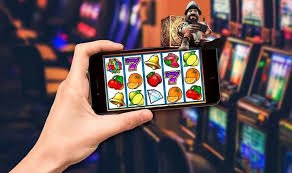
Available on Android & iOS

Download App bandar303 – Everything You Need, Right in Your Hands

Enjoy the most complete betting and slots experience right from your smartphone. The bandar303 app is built to be lightweight, fast, and secure – no intrusive ads, no slow loading.

Malware-free APK & SSL 256-bit encrypted  ·  Size < 25 MB

bandar303
1 Million+ Active Downloads
< 25 MB App Size
4.8 ★ User Rating
24/7 In-App Support

Why Download the bandar303 App?

Playing via a mobile browser works, but the experience you get through the official bandar303 app is far smoother. No browser cache issues, no repeated login problems, and live match notifications appear on your screen without needing to open the app first.

The bandar303 app is built specifically for internet conditions in Indonesia – including unstable 3G signals. Its data compression technology keeps the interface responsive even on below-average connection speeds. So you can place bets or spin slots without the frustration of waiting for pages to load.

On the security side, all communication between the app and bandar303 servers is encrypted using SSL 256-bit standards. Login data is stored locally with additional protection so it cannot be easily accessed by other apps on your device. Two-factor authentication is also available directly from the account settings menu in the app.

Available for Android 5.0 and above and iOS 12.0 and above. The APK file is under 25 MB, so it won't take up much storage – suitable even for mid-range smartphones.

bandar303

What Can You Do on the bandar303 App?

Everything available on the desktop version is fully accessible in the app – and some features are exclusive to mobile.

2,000+ Online Slots

The full slots library from Pragmatic Play, PG Soft, Habanero, and 20+ other providers is available at your fingertips, including free demo mode.

Real-Time Live Betting

Track odds and place bets while the match is live. Odds update every second directly on screen – no manual refresh needed.

Live Casino

Baccarat, roulette, blackjack, and sic bo tables with real dealers. HD video quality even on a standard 4G connection.

Instant Deposit & Withdrawal

QRIS, DANA, OVO, GoPay, ShopeePay, and direct bank transfer – all accessible from the Cashier menu in the app. Deposits and withdrawals processed within minutes.

Smart Push Notifications

Get important match updates, the latest promos, and transaction confirmations straight to your notification bar – without opening the app first.

Fingerprint & Face ID Login

Enable biometrics for faster, more secure login. No need to type your password every time you open the app – one touch and you're in.

How to Download & Install the bandar303 APK on Android

Since the bandar303 app is distributed directly outside the Google Play Store, there is one extra step required before installing the APK. Don't worry – the process is simple and only needs to be done once.

1
Allow Installation from Unknown Sources

Go to Settings → Security → enable "Allow from this source" for the browser or file manager you are using. On Android 8 and above, this permission is requested automatically during installation.

2
Download APK File

Click the "Download Android APK" button on this page. The file is under 25 MB and will be saved automatically to your device's Downloads folder.

3
Open APK File

Open the download notification or navigate to your Downloads folder, then tap the bandar303 APK file. Confirm the installation permission that appears on screen.

4
Wait for Installation to Complete

Installation usually completes in 15–30 seconds. The bandar303 app icon will appear on your home screen or app drawer once done.

5
Login or Create a New Account

Open the app, log in with an existing account or register a new one directly in the app. Registration is completed in 2 minutes.

bandar303
Minimum Android Requirements
Android Version5.0 Lollipop and above
RAM1 GB (2 GB+ recommended)
StorageMinimum 50 MB free
Internet Connection3G / 4G / WiFi
APK Size< 25 MB
ArchitectureARM64 & ARM32

How to Download the bandar303 App on iPhone & iPad

IPhone and iPad users can access the bandar303 app via a PWA (Progressive Web App) that can be added directly to the home screen from Safari. The experience is nearly identical to a native app – including push notification support and biometric login.

1
Open Safari on iPhone/iPad

Make sure you use the built-in Safari browser, not Chrome or Firefox, as the "Add to Home Screen" feature is only available in Safari.

2
Visit bandar303.vu

Type the site address in the Safari address bar and wait for the page to fully load. Make sure your internet connection is stable.

3
Tap the Share Icon

Tap the box icon with an upward arrow at the bottom of the Safari screen, then scroll down and select "Add to Home Screen".

4
Name & Confirm

Rename the shortcut if you like, then tap "Add" in the top-right corner. The bandar303 icon will appear instantly on your iPhone's home screen.

Minimum iOS Requirements
iOS Version12.0 and above
DeviceiPhone 6s, iPad Air 2+
BrowserSafari (required for PWA)
Internet Connection4G / WiFi recommended
bandar303

App vs Browser – Which Is Better?

Both are fully supported, but there are several advantages available only in the app version.

Features Mobile App Desktop Browser Mobile Browser
Full Slots & Casino
Live Betting
Push Notifications
Biometric Login (Fingerprint / Face ID)
Performance on 3G Optimized Limited
Data Saver Mode
Auto Updates
Instant IDR Transactions
bandar303 App Privacy & Security

The bandar303 app does not collect device data beyond what is required for platform operations. There is no access to contacts, gallery, or microphone without explicit user permission. All transaction data and account activity is encrypted and never shared with third parties. Learn more at Privacy Policy us.

FAQs About the bandar303 App Download

Need more help? Our live chat is available 24 hours and ready to guide you step by step.

Yes, the bandar303 APK is safe and free from malware. APK files distributed through the official bandar303 website undergo regular security scans. All communication between the app and servers uses SSL 256-bit encryption. As long as you download the APK only from the official bandar303.vu domain, there is no security risk to worry about. Avoid downloading APKs from unofficial sources to keep your device safe.

Android blocks app installations from outside the Google Play Store by default as a built-in security measure. Since bandar303 distributes its app directly without going through the Play Store, you need to enable this permission once. The permission only applies to the specific file you allow – it does not create a general security vulnerability. Once the app is installed, you can disable the permission again from Settings if you prefer.

The bandar303 app automatically detects updates when you open it. If a new version is available, a notification will appear in-app and you simply tap "Update Now" to download the latest file. The update takes about 1–2 minutes depending on your connection speed. It is recommended to always use the latest version to get new features and the latest security patches.

Yes, your bandar303 account is fully cross-platform. Your balance, betting history, transaction history, and account settings sync in real time between the mobile app and the browser version. You can start betting on your laptop and pick up right where you left off on your smartphone without losing any data. Log in with the same credentials on any device and everything will be ready instantly.

Absolutely. The bandar303 app supports all Android devices, from smartphones to large-screen tablets. The interface automatically adapts to your screen size for an optimal display whether you're on a 5-inch or 10-inch screen. On larger tablets, the layout gives you more room to view odds, statistics, and match tables all at once.

Download Now & Start Playing on bandar303

Create a free account, download the app, and enjoy thousands of slots and sports betting directly from your favorite smartphone.

Bahasa Indonesia